

As domestic overseas projects increase and factory production environments continue to evolve and improve, we must ensure both personnel safety and production efficiency. This demands that safety solutions possess a high level of intelligence.#SICK#Xiamen Shengyuanke Trading Co., Ltd.

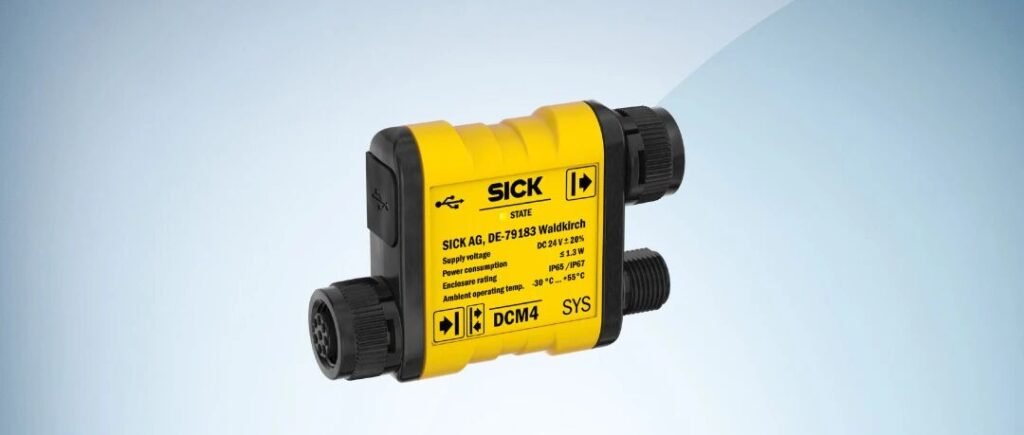
As a long-standing leader in industrial safety, SICK is here to support your safe overseas projects by solving challenges. The SICK safety light curtain family welcomes a new member—the DCM4 expansion module—which is now officially available for purchase and orders can be placed starting today.
The emergence of the DCM4 intelligent module for the safety light curtain has significantly enriched and enhanced the functions of the SICK deTec and deTem series of light curtains, enabling stable application and flexible configuration in complex scenarios.Home
Product Introduction:
- Product Definition – deTec4 & deTem4 Function Expansion Module
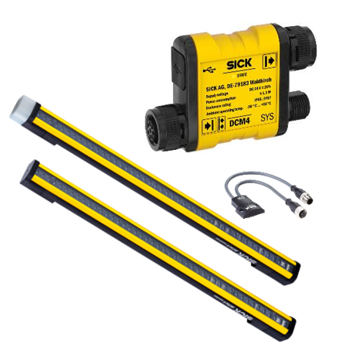
DCM4 (DeTec4 Configuration Module) is an expansion function module. When combined with deTec/deTem, it only requires a simple USB-C connection to utilize the software Safety Designer for configuration, enabling advanced product functionality.
The functional characteristics of C4000 will be fully inherited by the deTec4 equipped with DCM4.Contact Us
Inherited Product Families Involved C4000 Fusion
C4000 Advanced
C4000 Palletizer
C4000 Entry/Exit
UE402
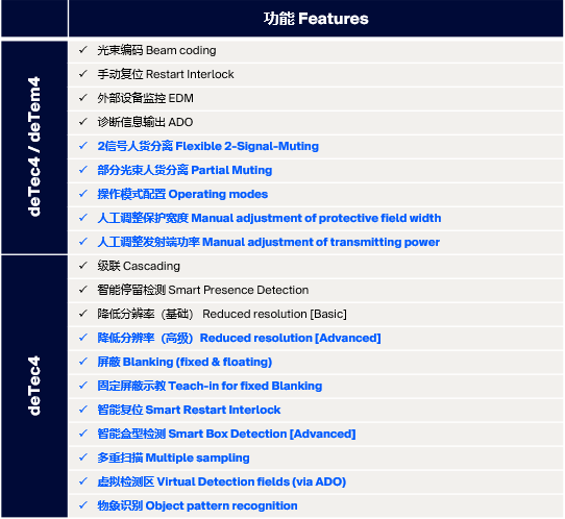
DCM4 can be used not only for deTec4 but also for deTem4. Below is the list of functions that can be achieved when pairing DCM4 with these two series.
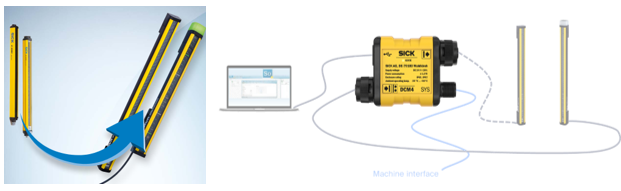
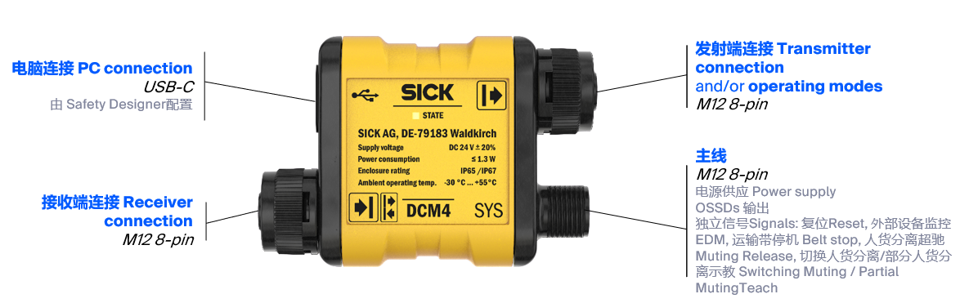
- Product Wiring – Highly Integrated – Minimized Wiring Workload + Easy Debugging and Maintenance
DCM4 will integrate the interfaces at the receiving and transmitting ends to optimize the wiring. At the same time, the module features a USB-C interface for communication configuration with computers.
The main line, in addition to the usual 2-channel OSD signal output and power supply interfaces, also has multiple additional interfaces that can be used for various functions such as reset, external device monitoring via EDM, hysteresis, and recipe switching.
The NFC interface of deTec/deTem also supports the use of the function package DCM4 for diagnosis and service operations (the new application version was released in CW12 of 2026)
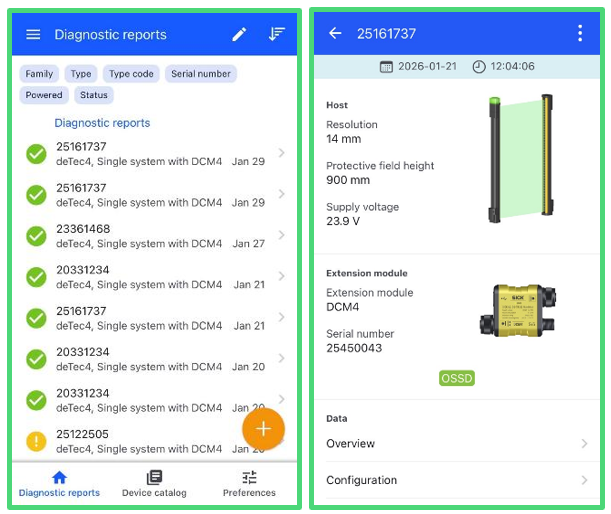
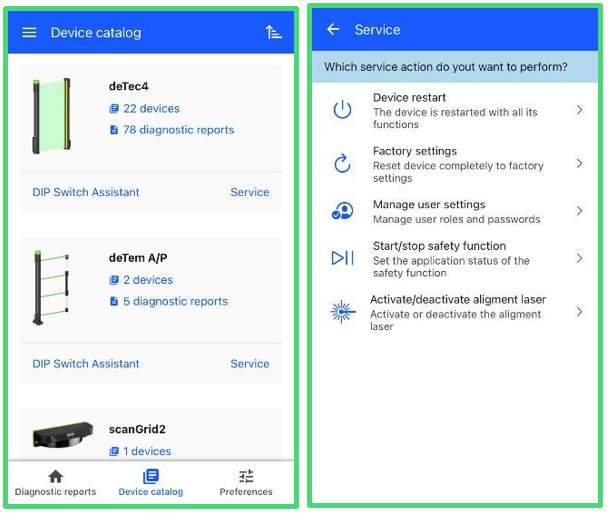
Key functions:
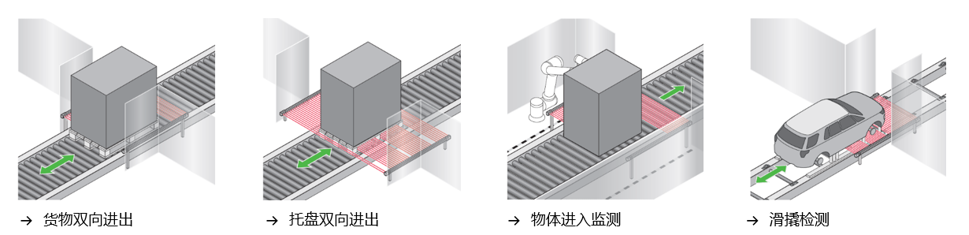
- Object Feature Recognition (Object Pattern Recognition)
Realize object feature recognition through horizontal installation, achieving separation of people and goods.
deTec4 Horizontal Installation
deTec4 can detect the configured object features without the need for additional sensors.
Goods that match the configured features can pass normally. Any intrusion that does not match this feature will cause the OSSD to shut down.
Benefits: Achieved the function of separating people and goods efficiently and simply.
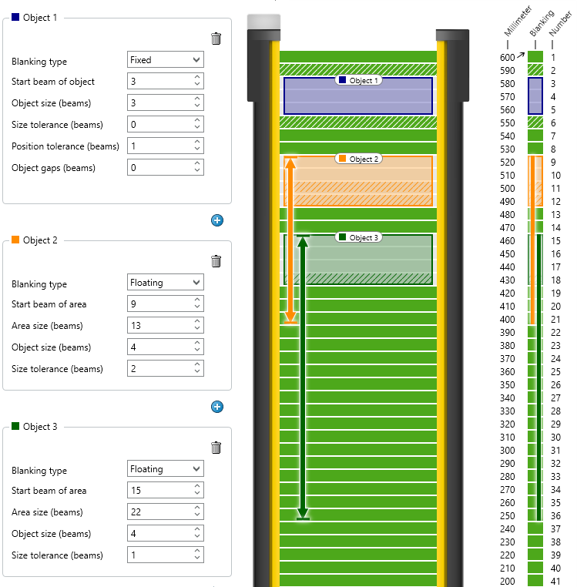
- Fixed & Floating Shielding (Blanking)
Allows specific objects to remain within the detection range indefinitely without triggering an alarm
Fixed shielding/floating shielding can accommodate up to 4 objects
Sizes and positions can be configured
During the teaching phase, if the detection area is cleared, the shielding function can be disabled
- Beam Coding + Transmitting Power Setting at the Transmitter End
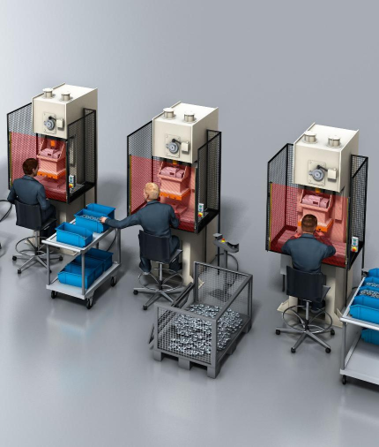
This feature includes beam coding and manual adjustment of transmitting power, which prevents light interference between adjacent light curtain systems and enhances system stability.
- Intelligent Reset (Smart Restart Interlock)
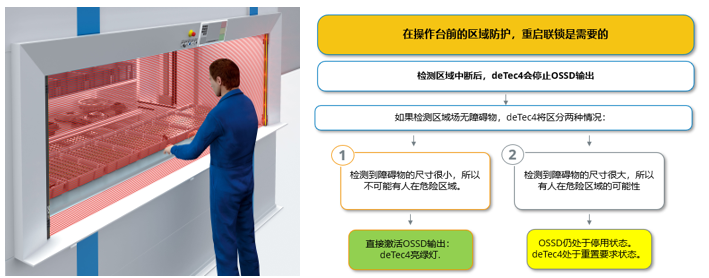
When the application is located in the area in front of the operation console and there is a space inside the equipment that allows one person to stay, in general, it is necessary to install a safety sensor to detect whether there is anyone inside the equipment, or choose to perform manual reset.
DCM4 can determine the necessity of manual reset based on the size of the obstacle, thereby improving the efficiency of safe production.
- Multiple Filtering (Multiple Sampling)
Set the number of detections required to disregard temporary interference as the threshold, so as to ignore the temporary interference and improve usability.
The number of scans can be defined as 2/3/4 times. The device must continuously detect the object for 2/3/4 times before triggering the OSSD alarm.
This enhances the device’s robustness, especially in the presence of woodworking machinery, welding equipment, or dusty environments.
The response time will be correspondingly prolonged.

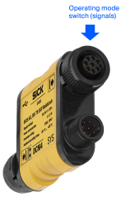
- Multiple Operating Modes (Operating modes)
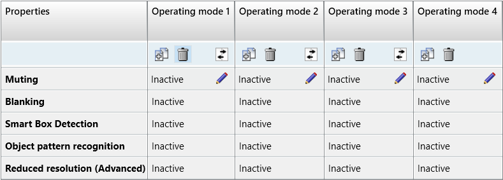
The functions and configuration parameters are assigned to different operating modes, allowing for switching during the device’s operation.
Up to 4 operating modes can be defined and configured by Safety Designer, or up to 5 operating modes can be enhanced through the IO-Link configuration method.
The following functions can be configured into the operating modes.
Supporting software: Safety Designer
